Standalone Arbitrary Code Execution in Animal Crossing for the Nintendo GameCube
Background
In September 2026, an engineer by the name of powmia99 discovered an exploit that triggered arbitrary code execution (ACE) in the original Animal Crossing for the Nintendo GameCube. Unlike previous setups that relied on modifying the memory card with external tools, this one was possible solely within the confines of Animal Crossing. In the weeks that followed, powmia99’s ACE setup was refined further and proven to work consistently on vanilla consoles. This post details the exact setups, how they work, and the possibilities this exploit unlocks.
The Setup
Arbitrary code execution is a very powerful exploit that involves overwriting crucial values in RAM, sometimes leading to game crashes or memory corruption if you aren’t careful. Use this exploit at your own risk and avoid executing malicious payloads.
Due to various address differences, ACE in Animal Crossing works differently depending on which version of the game you’re playing. Currently, we have confirmed setups for the North American (NTSC) version and the European (PAL) version when playing in English. These setups can be viewed by clicking your respective version below.
North America (GALE01, rev0)
- From the title screen, launch the game as the second player on file. If you do not have a second player on your save file, you will need to create one by choosing the “I’m new” option when the villager asks who you are.
- As the second player, enter your house and interact with any diary item. Note that all starter houses come with the “College Rule” diary by default. If you got rid of this diary, you will need to find or buy a new one.
- When inside the diary UI, scroll left or right with the control stick until you reach the month of October. Enter October and begin writing a diary entry. The day that is hovered over does not matter since you can only write one diary entry per month.
- In the diary entry, write exactly 350 filler characters with no newlines. These 350 characters do not matter - they simply exist to offset important characters in the next step. However, it is recommended you use characters like
eorias your filler buffer since they take up the least amount of “ink” in Animal Crossing’s writing system. Immediately after the 350 filler characters, write
!iDQ!iDSand close the diary entry. This is case-sensitive, so make sure you write this correctly: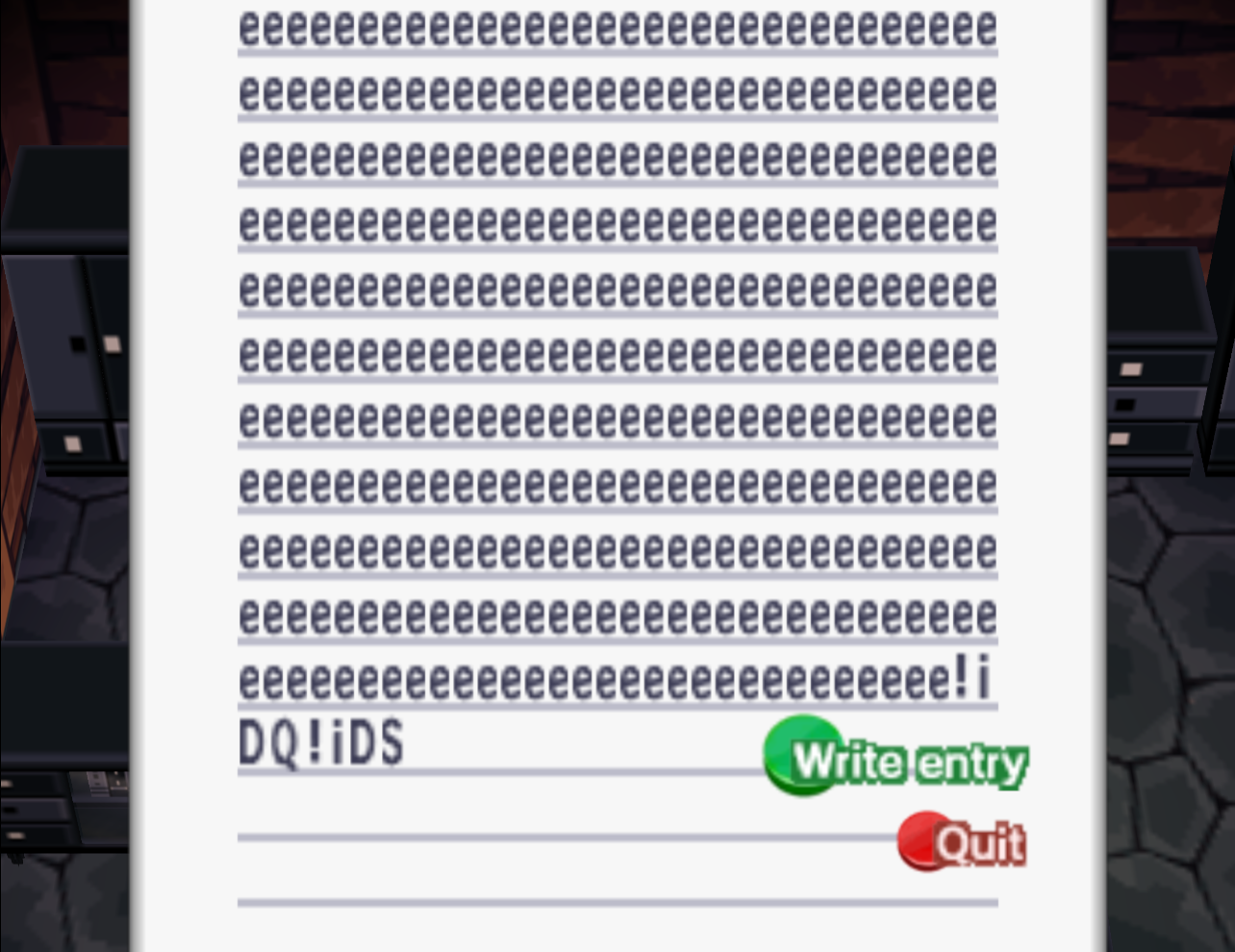
A diary entry in-game with 350 e's followed by our eight proper characters - Exit the house and save and quit. Reload into the game as the first player.
- As the first player, interact with the notice board in the middle.
Create posts and type in characters based on your desired data/payload. Writing exact byte values here at exact offsets is critical to avoid game crashes or corruption. For a list of simple pre-constructed payloads that you can write with instructions, see here.
For the North American setup, the byte values located after 116 characters in post 15 of the notice board is the current entry point for all ACE payloads. PowerPC instructions must start here, but you can cleverly point to other areas of RAM to continue writing extended payloads, such as other notice board posts, stored letter mail at the post office, or even saved player designs.
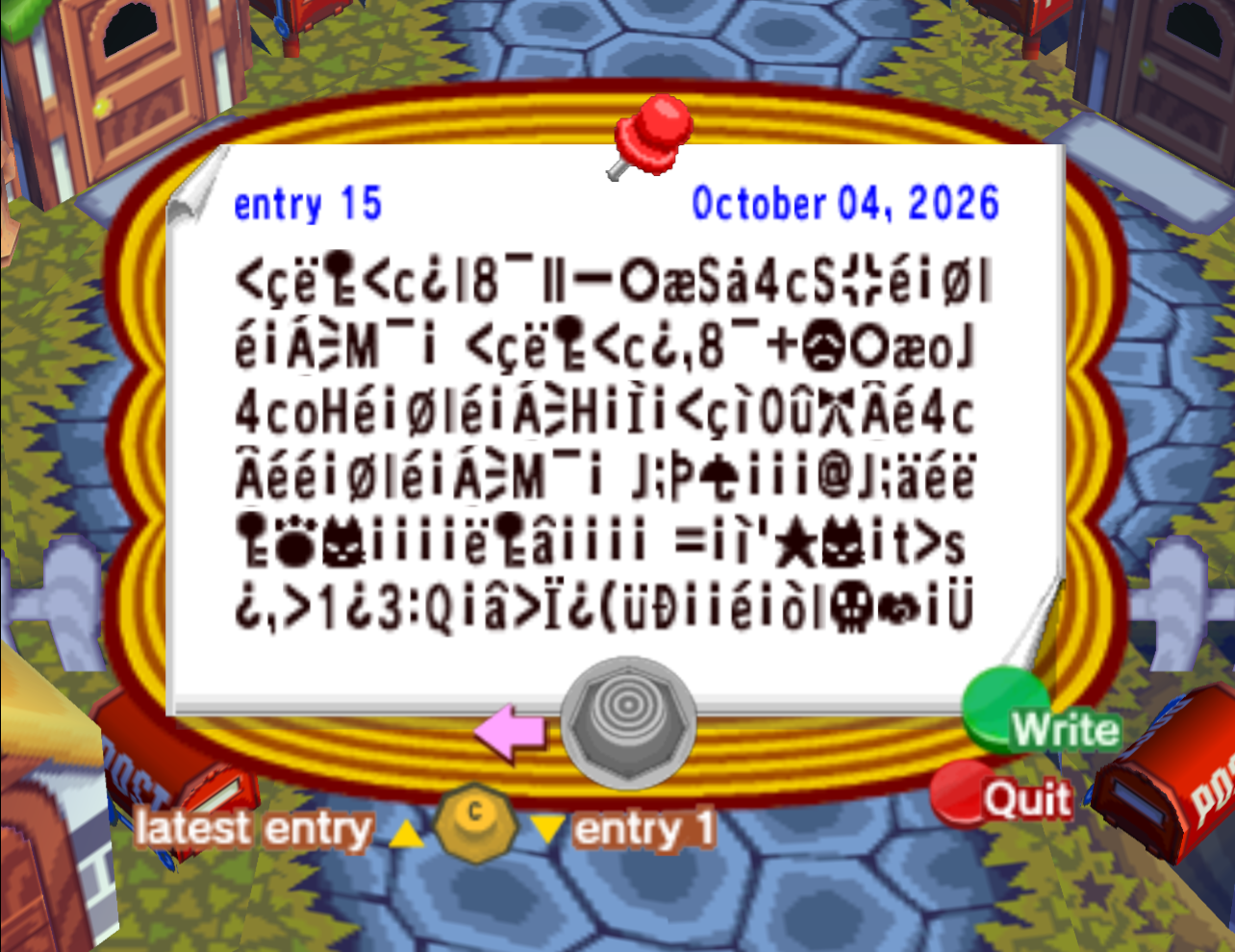
The last entry on the notice board filled with custom data and a payload.
This payload in particular unlocks the game's test map select screen after reboot.- If the current date is not already the 4th, save and quit and set the in-game date to the 4th day of any month. The exploit will not work if the live date is not the 4th when following the remaining steps!
- Go to Nook’s shop and tell Tom Nook you’d like to input a secret code by talking to him, selecting “Other things”, then “Say code”.
- Enter this secret code exactly as written:
1
2
x@52ylLzGNNyED
UgUGK@n52C2AOn
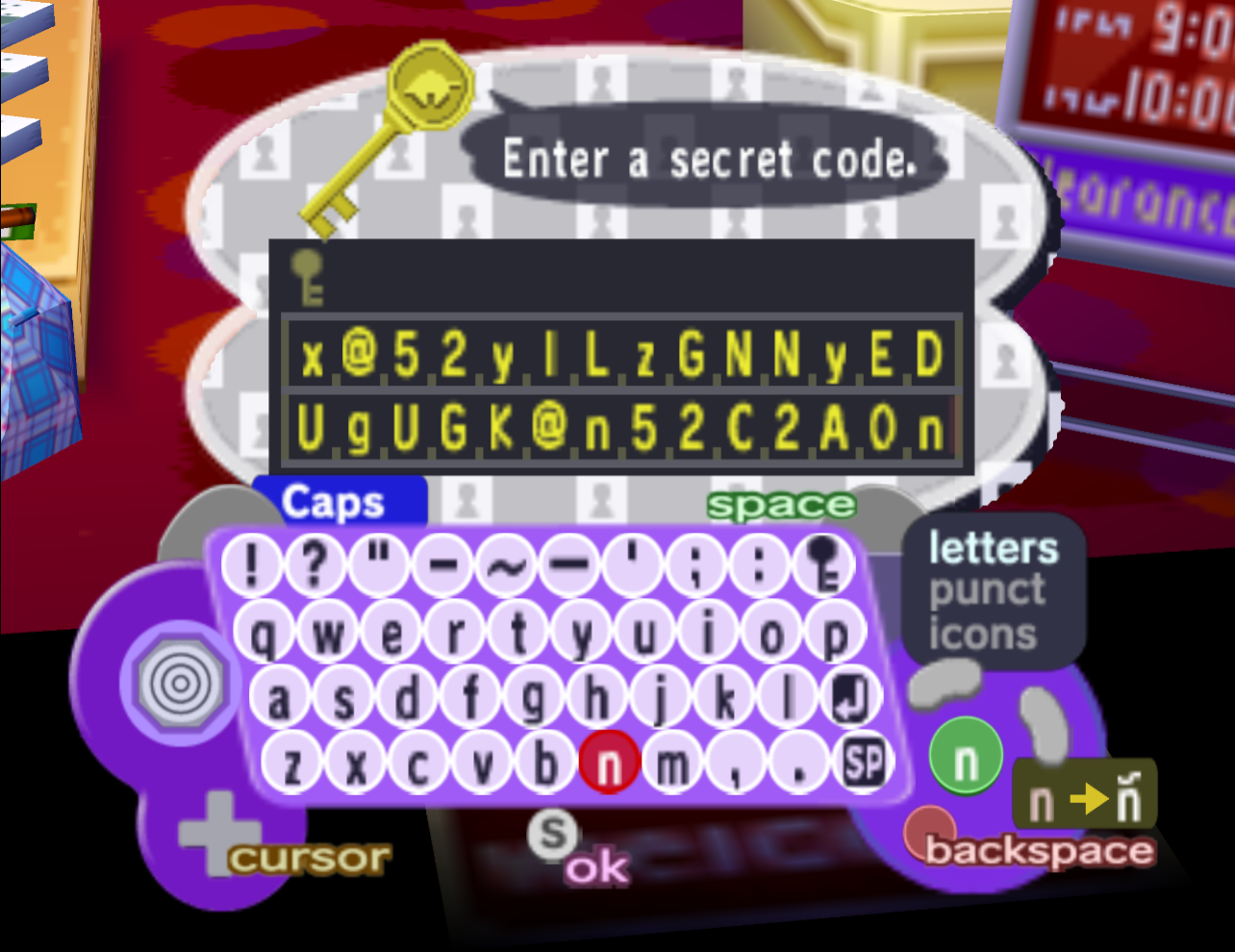
The exact secret code that should be told to Tom Nook (NA) - Submit the code with the start button and advance through the dialogue. Once Tom Nook starts recursively repeating characters, press “A” or “B” to execute the payload.
Following these steps, you should have successfully executed arbitrary code that was written entirely via controller inputs. What happens next depends on the payload you entered, but most simplistic ones will reset the game first to restore clobbered code from Tom Nook’s recursive message.
Europe (GAFP01, rev0)
- If you aren’t already playing in English, you’ll need to change your GameCube’s system language to English before launching the game. This is because the European version boots up separate ROMs for each language it supports and we currently only have a setup with addresses based on the English ROM.
- Load up any save as the first player and interact with the notice board in the middle of all the houses.
Create posts and type in characters based on your desired data/payload. Writing exact byte values here at exact offsets is critical to avoid game crashes or corruption. For a list of simple pre-constructed payloads that you can write with instructions, see here.
For the European setup, the byte values located after 116 characters in post 10 of the notice board is the current entry point for all ACE payloads. PowerPC instructions must start here, but you can cleverly point to other areas of RAM to continue writing extended payloads, such as other notice board posts, stored letter mail at the post office, or even saved player designs.
- If your entry payload is not in the tenth post (10/15) of the notice board, you’ll need to create dummy posts to push your payload back so that it sits in the tenth post.
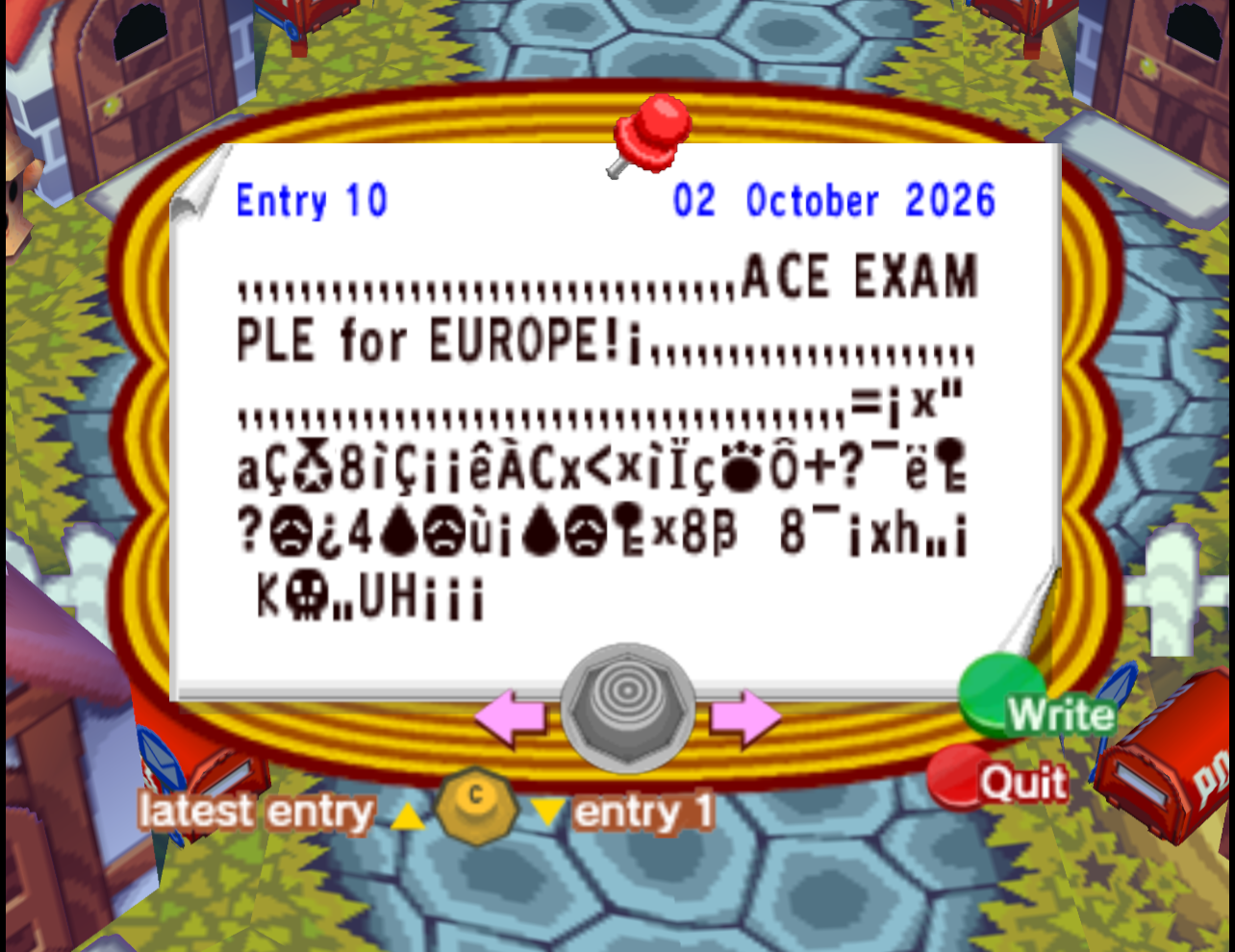
The tenth entry on the notice board filled with custom data and a payload.
This payload in particular prints the text "ACE EXAMPLE for EUROPE" to the screen. - If the date is not already the 2nd, save and quit and set the in-game date to the 2nd day of any month. The exploit will not work if the live date is not the 2nd when following the remaining steps!
- Go to Nook’s shop and tell Tom Nook you’d like to input a secret code by talking to him, selecting “Other things”, then “Say code”.
- Enter this secret code exactly as written:
1
2
mcv9kMNCb5f4ez
NooDxK4eLEUAe&
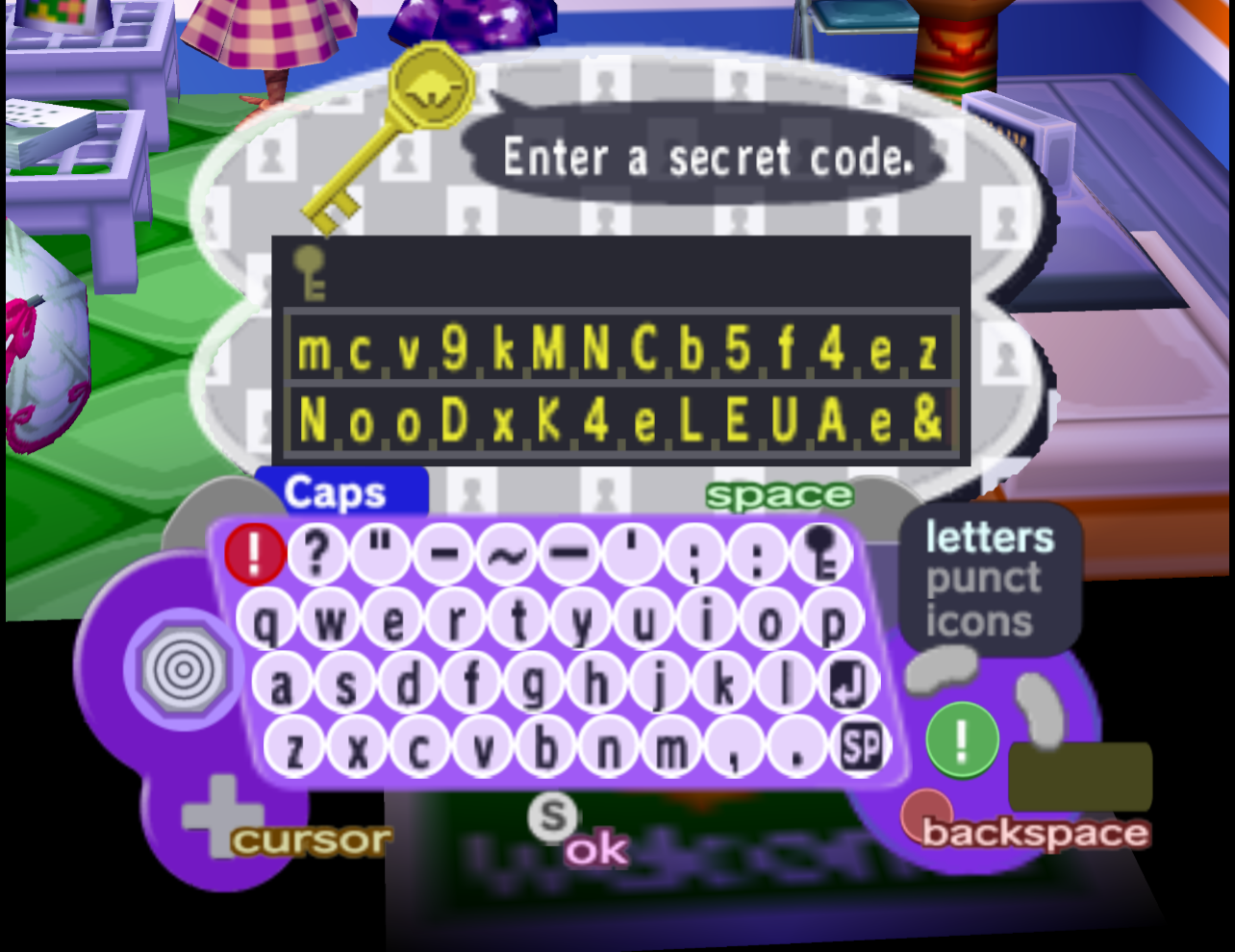
The exact secret code that should be told to Tom Nook (EU) - Submit the code with the start button and advance through the dialogue. Once Tom Nook starts recursively repeating characters, press “A” or “B” to execute the payload.
Following these steps, you should have successfully executed arbitrary code that was written entirely via controller inputs. What happens next depends on the payload you entered, but most simplistic ones will reset the game first to restore clobbered code from Tom Nook’s recursive message.
How it Works
This is a very in-depth explanation that attempts to explain every mechanic involved in the exploit. If you just want a general overview of how this all works, see here.
Understanding this ACE exploit requires technical knowledge of various game mechanics and the GameCube’s hardware architecture. I recommend you read through the setups above just to be familiar with the exploit before trying to comprehend everything.
Animal Crossing’s Character Encoding
Like most games, Animal Crossing encodes written text into RAM by mapping characters to hexadecimal byte values. The in-game keyboard also allows you to write all sorts of special punctuation, symbols, and emojis that require unique encoding when written into RAM. This character encoding is shown below.
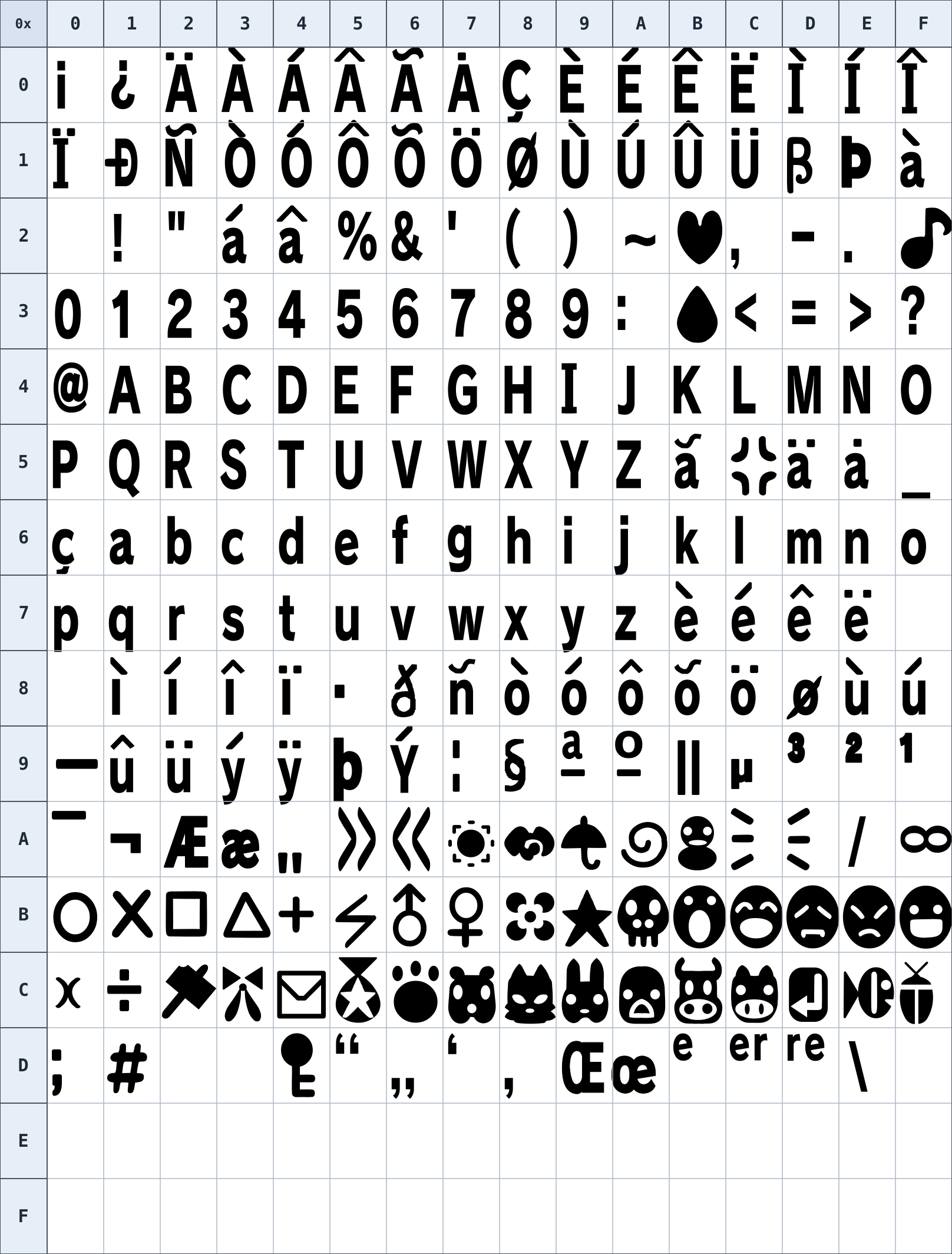
Whenever you enter any text in Animal Crossing, the bytes that get written to memory follow this hex encoding. As you can see, most of the alphanumeric characters follow standard ASCII, where A maps to 0x41, B maps to 0x42, and so on. However, other mappings are unique, such as ¡ mapping to 0x00. So, for the purposes of manually typing in-game data, payloads, and addresses, we need to be aware of this encoding.
Tom Nook’s Secret Codes
The backbone of this entire exploit is the secret code we tell to Tom Nook. In the early 2000s, Nintendo would periodically publish various secret codes online and in magazines that players could then repeat to Tom Nook in order to get various items. This system was also used to “gift” items to other players. By telling Tom Nook the town name and player name of your desired recipient, you could then give him an item from your inventory and he would generate a secret code for you to write down. If you shared this code with a friend who has a matching town/player name, they would be able to receive your item from Tom Nook by simply inputting that code. This is an incredibly cool system, but the mechanics behind encrypting and decrypting these secret codes are relatively complex. Despite this, the process of generating custom secret codes has been relatively understood for over 20 years and you can view the exact source in the Animal Crossing decompilation project.
While there are several different types of secret codes, for the purposes of this exploit we only care about the “magazine” code type. These are the codes that Nintendo would publish in magazines for players to use. As such, these codes work for any player and town, making them ideal for our exploit.
For our ACE setups, we tell Tom Nook the following secret codes:
x@52ylLzGNNyED
UgUGK@n52C2AOn
6E FF 81 27 00 90 7F 2A 20 20 00 00 7F 20 7F 06
7F 2B FF FF A5mcv9kMNCb5f4ez
NooDxK4eLEUAe&
6E FF 7F 20 7F 06 81 10 7F 2A 16 08 C0 0D 20 E0
7F 2B FF FF C8
Internally, these decoded bytes represent the following:
| Offset | Meaning |
|---|---|
0x00 | Code type |
0x01 | Universal/special NPC value |
0x02–0x09 | First eight-byte string |
0x0A–0x11 | Second eight-byte string |
0x12–0x13 | Present item ID |
0x14 | Extra codec byte |
The first byte has a value of 6E, marking the code as a “magazine” type which allows it to be used universally by any player. The pair of eight-byte strings at offsets 0x02-0x09 and 0x0A-0x11 drive the entire setup and the exploit would not be possible without them. In magazine codes, these bytes typically contain the strings
" Power" and "Nintendo". When read out by Tom Nook, these strings are placed dynamically in his dialogue with the second string rendering before the first.
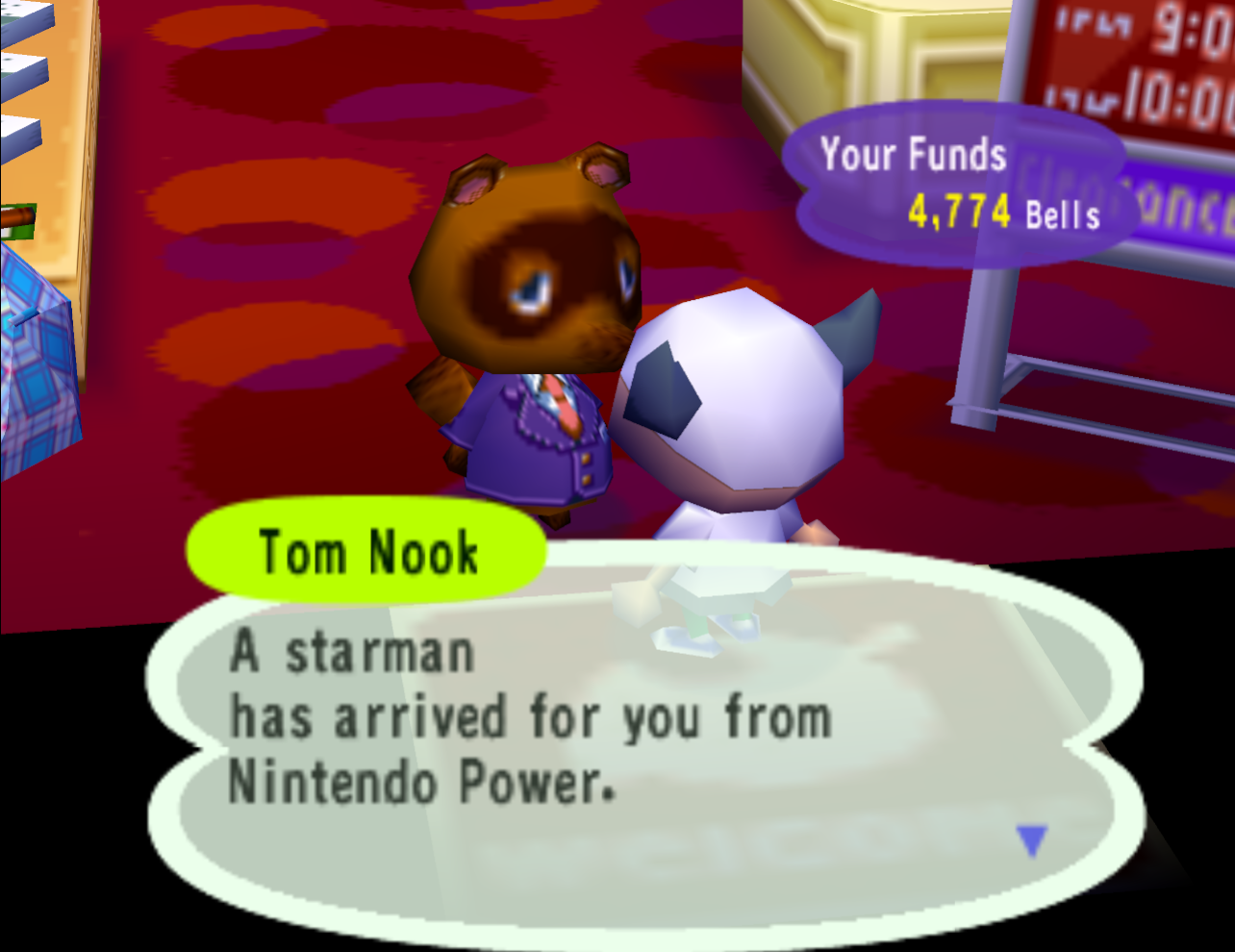
where the words "Nintendo Power" are dynamically loaded from the code itself
However, for our exploit we are replacing the strings “Nintendo” and “ Power” with our own custom bytes. Notice that, in our secret code, the first and second eight-byte strings decode to the following:
| First string | 81 27 00 90 7F 2A 20 20 |
| Second string | 00 00 7F 20 7F 06 7F 2B |
| First string | 7F 20 7F 06 81 10 7F 2A |
| Second string | 16 08 C0 0D 20 E0 7F 2B |
So, when Tom Nook reads his message after receiving our code, the game will dynamically render these strings in his text box. Using pre-existing knowledge of how the game’s message rendering works, we carefully crafted the byte values in these strings to abuse the game’s text control command system, unlocking a whole host of possibilities.
Text Control Commands
Whenever Animal Crossing’s text engine wants to render string data, it simply reads the byte value and draws the corresponding character to the screen following the encoding mentioned previously. This is the case for all byte values except for 7F, which is a special “control command” byte. When the game comes across 7F, it does not draw it to the screen, but instead enters a special command flow that looks at the following several bytes for instructions. The game features a whole host of control commands that are all activated by simply inserting special byte values after an instance of 7F.
For instance, whenever the game wants to render text in a certain color, it inserts the command 7F 50 RR GG BB NN within the string data itself, where 7F 50 instructs the game to color some text, RR GG BB are the RGB values of the text, and NN is the number of following characters that should be colored.
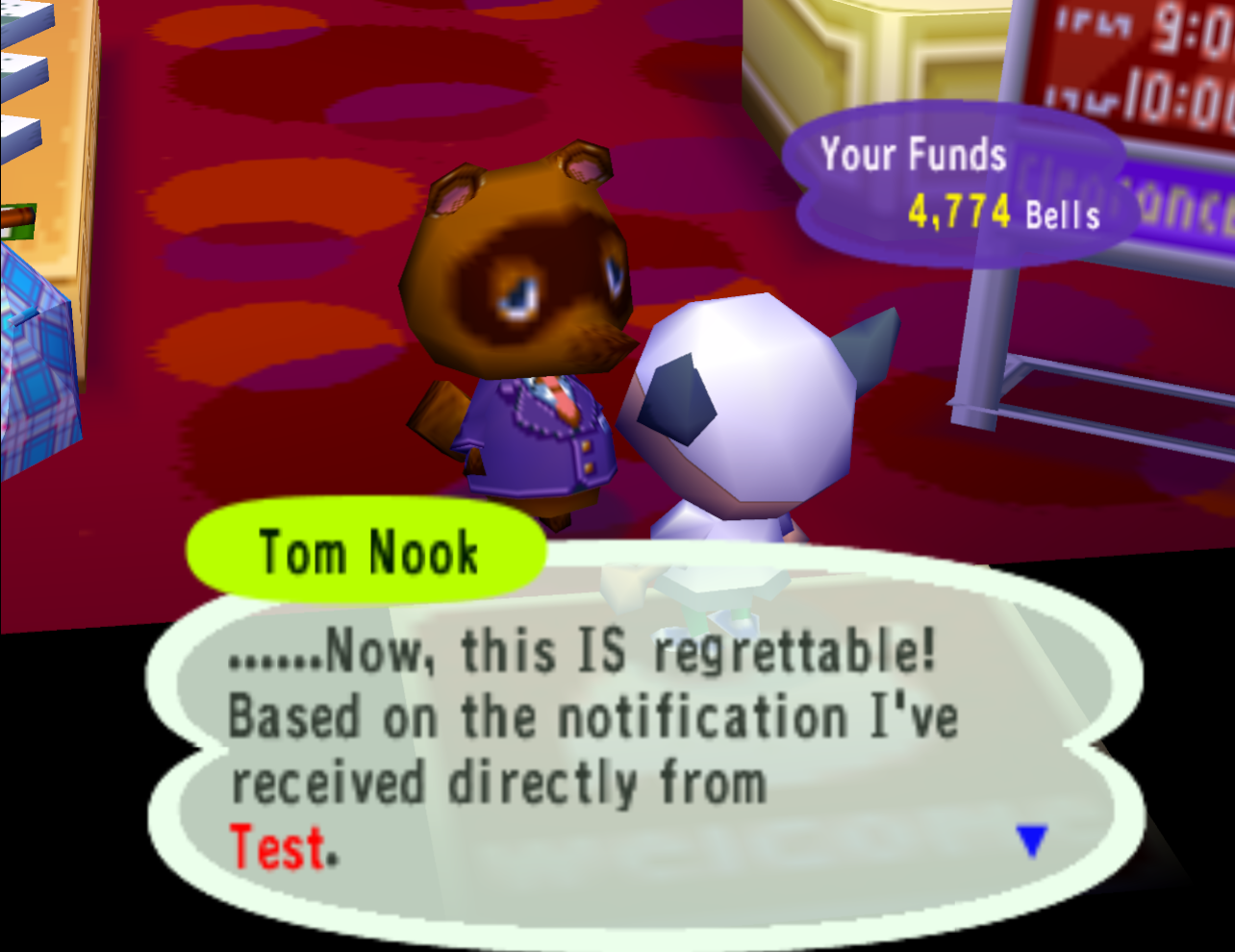
In the above example, we generate a secret code that dynamically inserts the following strings:
| First string | 7F 50 FF 00 00 02 73 74 |
| Second string | 7F 50 FF 00 00 02 54 65 |
As you can see, we start both strings with 7F 50 FF 00 00 02. When the text engine comes across these bytes, it sees 7F 50 and instructs the game to render characters with an RGB value of FF 00 00 (255/0/0 = red) for the next 02 characters. In this case, the actual strings are just the last two bytes: 73 74 and 54 65, which respectively map to “st” and “Te” in our encoding. Again, the second string is rendered before the first, causing Tom Nook to print the word “Test” in red, all using built-in control commands.
Now, this color-coding 7F 50 command is only an example. In our ACE exploit, we actually abuse the following control commands:
| Control command | Instruction |
|---|---|
7F 06 | Allows the current text box to be skipped immediately by pressing A/B |
7F 20 | Replace command with the current date's day value |
7F 2A | Replace command with FREE_STR6 |
7F 2B | Replace command with FREE_STR7 |
The core of the exploit lies in the final two control commands. When Tom Nook finishes decrypting a secret code, the game actually places our first decoded string in a variable called FREE_STR7 and our second decoded string in a variable called FREE_STR6. In other words, we can effectively write our own custom strings into these variables by just generating a secret code. Knowing this, we purposefully set up the first string to include the control command 7F 2A, instructing the game to replace those command bytes with the bytes located in FREE_STR6. We also purposefully set up our second string to include 7F 2B, instructing the game to replace those command bytes with the bytes located in FREE_STR7.
As you can see, FREE_STR6 and FREE_STR7 both end by instructing the game to replace the command bytes with instances of each other, where FREE_STR6 ends by rendering FREE_STR7 and vice versa. As a result, we enter an infinite loop where Tom Nook will endlessly repeat our strings.
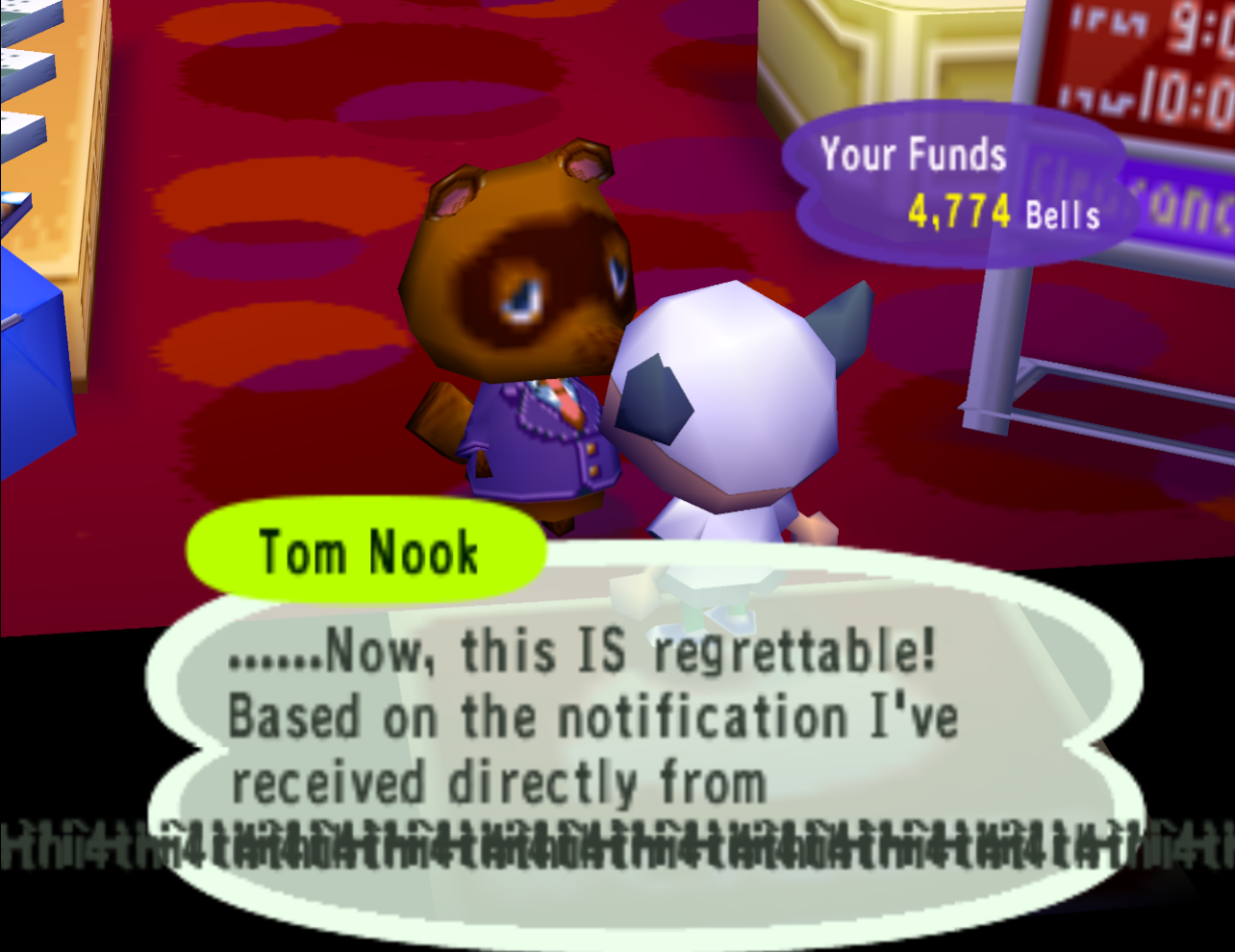
FREE_STR6 and FREE_STR7, causing his dialogue to overflow the boundaries of his text box
Escaping the Message Buffer
With Tom Nook set up to recursively repeat the same two strings forever, we now have a consistent way to cause an overflow within Animal Crossing’s message buffer. The live message buffer is designed to hold a maximum of 1,536 bytes at any given time, which is more than enough space for most characters to talk across several text boxes. However, since we are recursively inserting FREE_STR6 and FREE_STR7 into this message buffer, we end up blowing past the buffer’s boundary due to the game’s lack of overflow protections when a string is rendered with control commands.
The live message buffer lives at 0x81298360 in the North American version and at 0x8112ACE0 in the European version. Tom Nook’s recursive messages blast through these buffers, enter adjacent code areas, and destroy a great deal of the game state. Regardless, by calculating where the message buffer begins in relation to other crucial callback addresses, we can craft our recursive strings to line up perfectly and overwrite variables in RAM with useful values.
Specifically, our recursion hits these critical variables in RAM and overwrites them with these values:
| Variable | NTSC | PAL |
|---|---|---|
Player_actor_draw_func | 0x8129CCA4 → 0x81270090 | 0x81130044 → 0x81101608 |
String_table_rom_start | 0x8129F320 → 0x00900000 | 0x811326B8 → 0xC00D20E0 |
String_rom_start | 0x8129F324 → 0x7F207F06 | 0x811326BC → 0x7F207F06 |
Notice that each of the overwritten values here matches bytes that are present in our decoded strings from the secret code.
The important overwrite here is Player_actor_draw_func, which normally contains the address of the function Player_actor_draw, responsible for rendering the player. Since the player is usually on screen all the time, this Player_actor_draw_func gets called practically every frame, making it perfect to hijack. In the North American version, our setup overwrites it to address 0x81270090, which points to the fifteenth post on the in-game notice board. In the European version, our setup overwrites it to 0x81101608, which points to the tenth post on the in-game notice board.
With the address overwritten, the next time Player_actor_draw_func is called, it will branch to any bytes written on the respective notice board post and execute them as PowerPC instructions.
However, even though we’ve successfully overwritten Player_actor_draw_func, we are still in an infinite recursion loop and Tom Nook is still placing our strings into RAM. We actually need the game to exit the message-processing stack and return. If this goes any further, Tom Nook will replace all the remaining bytes in RAM and the game will crash spectacularly…
Exiting the Recursion
While we’ve known about the recursion string exploit for years, finding a proper escape routine has always been the major roadblock. Luckily, the control command 7F 00 instructs the message interpreter to stop and return. While there are many instances of 7F 00 in RAM that we’re bound to hit eventually, our recursive strings actually overwrite them before the text cursor reaches them. So, how do we stop this train?
The solution is to include an additional control code within our recursive string that gets invoked every time it’s repeated. In our case, we include 7F 20 in our strings, which fetches the current day and attempts to render it via text. For example, if you’re playing on October 4th, the command 7F 20 will render as “4th”. You can actually see this in our exploit if you stop and look at the text that Tom Nook says after we enter our secret code:
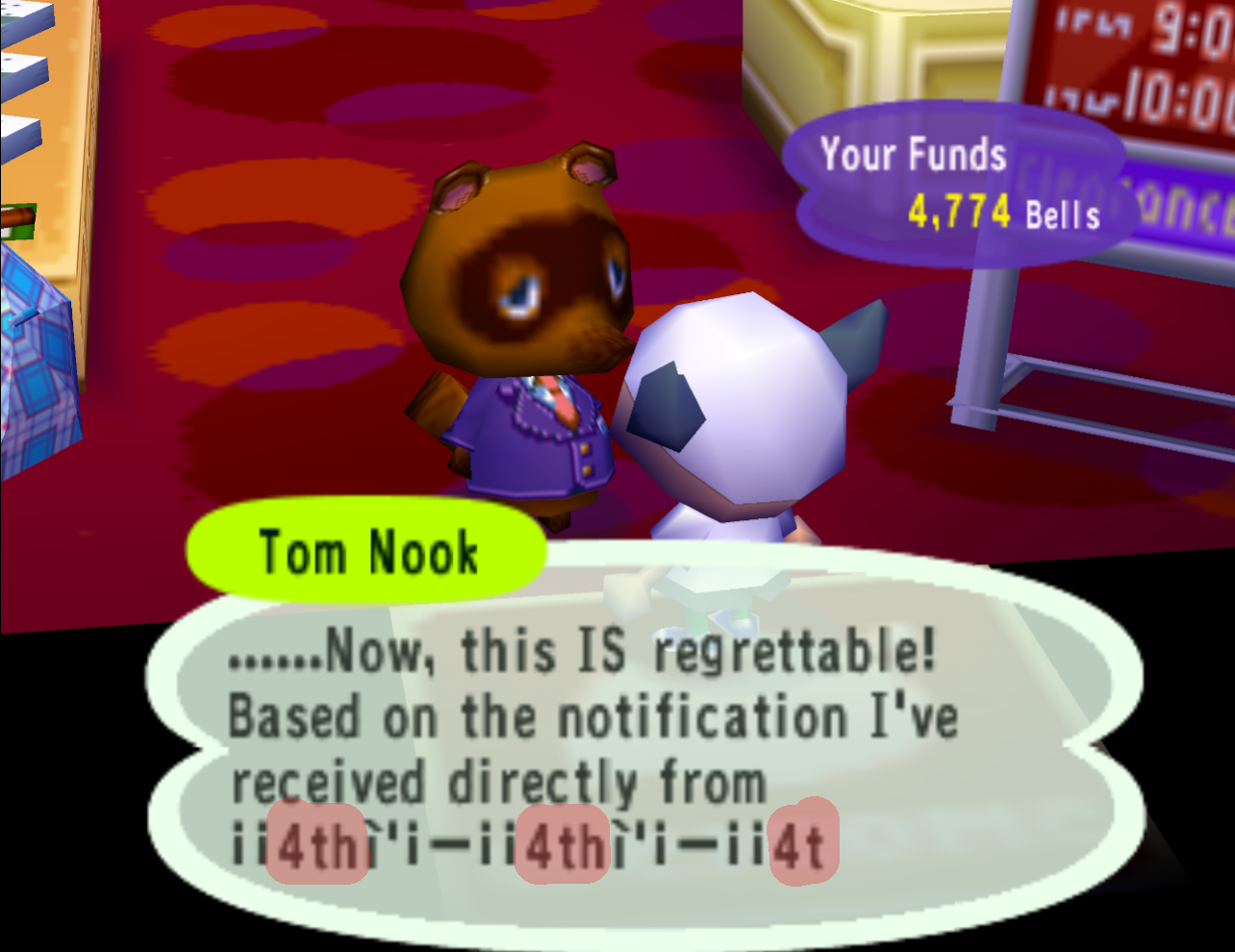
Now simply printing the day of the month over and over obviously doesn’t help us too much. However, the game can’t just magically convert a numeric day value into a proper string, so it has to follow some routine to get there. This is what we abuse.
To render the current day as text, the game has to read the current date and fetch a corresponding string from a table. After all, in English, we append characters to the numeric day of the month differently depending on its value. 1 becomes “1st”, 2 becomes “2nd”, 4 becomes “4th”, and so on. To handle this, the game actually just has a list of strings from “1st” to “31st” set up as data inside String_rom_start.
This is where overwriting the remaining variables comes into play. By finding a recursion setup that also overwrites String_table_rom_start and String_rom_start all in one go, we are able to escape the recursion and exit the message-processing routine.
As a reminder, these are the updated values of the overwritten variables:
| Variable | NTSC | PAL |
|---|---|---|
String_table_rom_start | 0x8129F320 → 0x00900000 | 0x811326B8 → 0xC00D20E0 |
String_rom_start | 0x8129F324 → 0x7F207F06 | 0x811326BC → 0x7F207F06 |
In any version of the game, the string corresponding to the current day is fetched by precalculating an index based on the numeric day value:
1
2
3
#define mString_DAY_START 0x64E
...
string_index = mString_DAY_START + day - 1;
In practice, this maps each day to the following indices:
1
2
3
4
5
Day 1:  0x64E + 1 - 1  = 0x64E
Day 2:  0x64E + 2 - 1  = 0x64F
Day 3:  0x64E + 3 - 1  = 0x650
Day 4:  0x64E + 4 - 1  = 0x651
Day 31: 0x64E + 31 - 1 = 0x66C
Finally, these indices run through a calculation to get an exact offset:
1
2
3
4
5
6
7
exact_offset = (index - 1) × 4

Day 1:  (0x64E - 1) × 4 = 0x1934
Day 2:  (0x64F - 1) × 4 = 0x1938
Day 3:  (0x650 - 1) × 4 = 0x193C
Day 4:  (0x651 - 1) × 4 = 0x1940
Day 31: (0x66C - 1) × 4 = 0x19AC
When 7F 20 is found inside a string, the offset corresponding to the current day is added to the address found at String_table_rom_start. Normally, this offset and table combo would point the game to a proper string corresponding to the current day: “1st”, “2nd”, “3rd”, etc. However, by overwriting String_table_rom_start and activating our secret code on specific days, we can enter specific offsets relative to our newly overwritten addresses.
String_table_rom_start | 0x00900000 |
+ Day 4 offset | 0x1940 |
= | 0x00901940 |
Writing
!iDQ!iDS inside the diary at this exact offset equates to:21 69 44 51 21 69 44 53 |
Start address | 0x21694451 |
End address | 0x21694453 |
0x02, which tells String_rom_start to insert a 2-byte value in place of 7F 20 instead of our usual "4th" string. The game then takes our overwritten
String_rom_start address and adds the start address above to get a final location: String_rom_start | 0x7F207F06 |
+ Start address | 0x21694451 |
= | 0xA089C357 |
0x0089C357. The two byte values found here will now get copied over in place of our normal "4th" string, which happen to always be 7F 00. This allows us to insert a stop command into our exploit after our recursive strings overwrite the necessary variables.String_table_rom_start | 0xC00D20E0 |
+ Day 2 offset | 0x1938 |
= | 0xC00D3A18 |
0x000D3A18. The following bytes always live here: 80 EC D3 52 80 EC D3 62 |
String_rom_start and how many bytes to copy after branching.Start address | 0x80ECD352 |
End address | 0x80ECD362 |
0x10, which tells String_rom_start to insert a 16-byte value in place of 7F 20 instead of our usual "2nd" string. The game then takes our overwritten
String_rom_start address and adds the start address above to get a final location: String_rom_start | 0x7F207F06 |
+ Start address | 0x80ECD352 |
= | 0x000D5258 |
0x000D5258. The sixteen bytes that are found here will now get copied over in place of our normal "2nd" string. These bytes are: 00 00 00 00 00 00 00 00 00 00 20 7F 00 00 25 4F |
7F 00 allows us to insert a stop command into our exploit after our recursive strings eventually overwrite the necessary variables.As you can see, both versions take different approaches here. With our current setups, the North American version has to write eight specific bytes in a second player’s diary entry in order to find a suitable 7F 00 stop command to insert. The European version can forgo the diary entry entirely because its recursive strings lead the game naturally to an occurrence of 7F 00 without any help. It’s very possible that a sequence of characters also exists that would let the North American version skip the diary entry, but it’s a very complicated calculation that would require additional parsing. For now, this is the best we have.
After String_table_rom_start and String_rom_start are overwritten by our recursive strings, the stop command is found and replaces bytes in our string loop, causing the recursion to stop when the text engine “renders” them. At this point, the recursion has already overwritten a lot of game code, but this allows us to stop in time to prevent a game crash and let the game keep running.
Executing Arbitrary Code
With our recursion stopped and no longer destroying RAM, we now just have to make the game call our previously overwritten Player_actor_draw_func to finalize the exploit. In normal gameplay, we’d have to wait for all text to render in a text box before we can advance it and exit the message routine. Of course, since we’re technically forcing the game to try and render over 16,000 characters, we’d have to wait around nine minutes for all the bytes to be written and the engine to eventually hit our stop command.
To solve this, we include one final control command into our recursive strings: 7F 06. As described earlier, this command allows the player to tap A or B to immediately print out the remaining characters and advance the dialogue. This command only has to be seen once to work for the remainder of all current dialogue, so we can easily skip waiting by just pressing A or B almost immediately after Tom Nook renders our strings. The moment we do, thousands of bytes are written almost instantaneously and we exit the message routine.
From here, the game attempts to render the player again through Player_actor_draw_func, but instead of branching to Player_actor_draw, it branches to our payload in the notice board and executes the bytes there as PowerPC code.
With this, the exploit is complete and arbitrary code execution is now possible on vanilla consoles solely within the confines of Animal Crossing.
Overview
If the above is too specific for you or you only care about the big picture, here is a summary on how this works:
By understanding how Tom Nook’s secret codes are encrypted and decoded, we can craft a secret code that dynamically inserts two custom strings into Tom Nook’s dialogue. The secret code works for all players and, once decoded, the bytes inside our strings take advantage of the game’s text rendering engine to call special “control commands”. Our custom strings include control commands that recursively call one another indefinitely; the first string ends by telling the game to render the second string, and vice versa. This causes our text to overflow the live message buffer and begin overwriting bytes in RAM. By calculating how far away certain addresses are from one another, we carefully craft our recursive strings to overwrite essential pointers and variables. By playing on specific days of the month, these overwritten pointers line up perfectly to stop the recursion and execute code that can be written solely in-game via a notice board post.
Possibilities
Finding standalone ACE in Animal Crossing is especially exciting due to the sheer amount of custom data that can be saved to RAM by the player. Player designs, mailed letters, diary entries, bulletin board posts, and even your town tune - all of this data can be set up freely by the player at any time. Unlike other games that rely on story progression, super precise angles, or difficult visual cues, Animal Crossing’s in-game keyboard and design editors make writing bytes to RAM incredibly easy. As such, I’d argue that this game has one of the easiest and most consistent ACE exploits in any game ever. Further still, this exploit is very unrestricted, allowing you to write patchers into early DOL code and do practically anything. Anyone is free to write their own payloads so long as they understand Animal Crossing’s character encoding, general GameCube memory addresses, and how PowerPC assembly converts to hexadecimal bytes.
Personally, my focus with ACE is to perform things that were never possible before on vanilla consoles, such as visiting the game’s test maps, unlocking the NES games Super Mario Bros./The Legend of Zelda, and enabling the game’s second debug mode. For some smaller, predesigned payloads like these that you can write on the bulletin board yourself, see my page here.
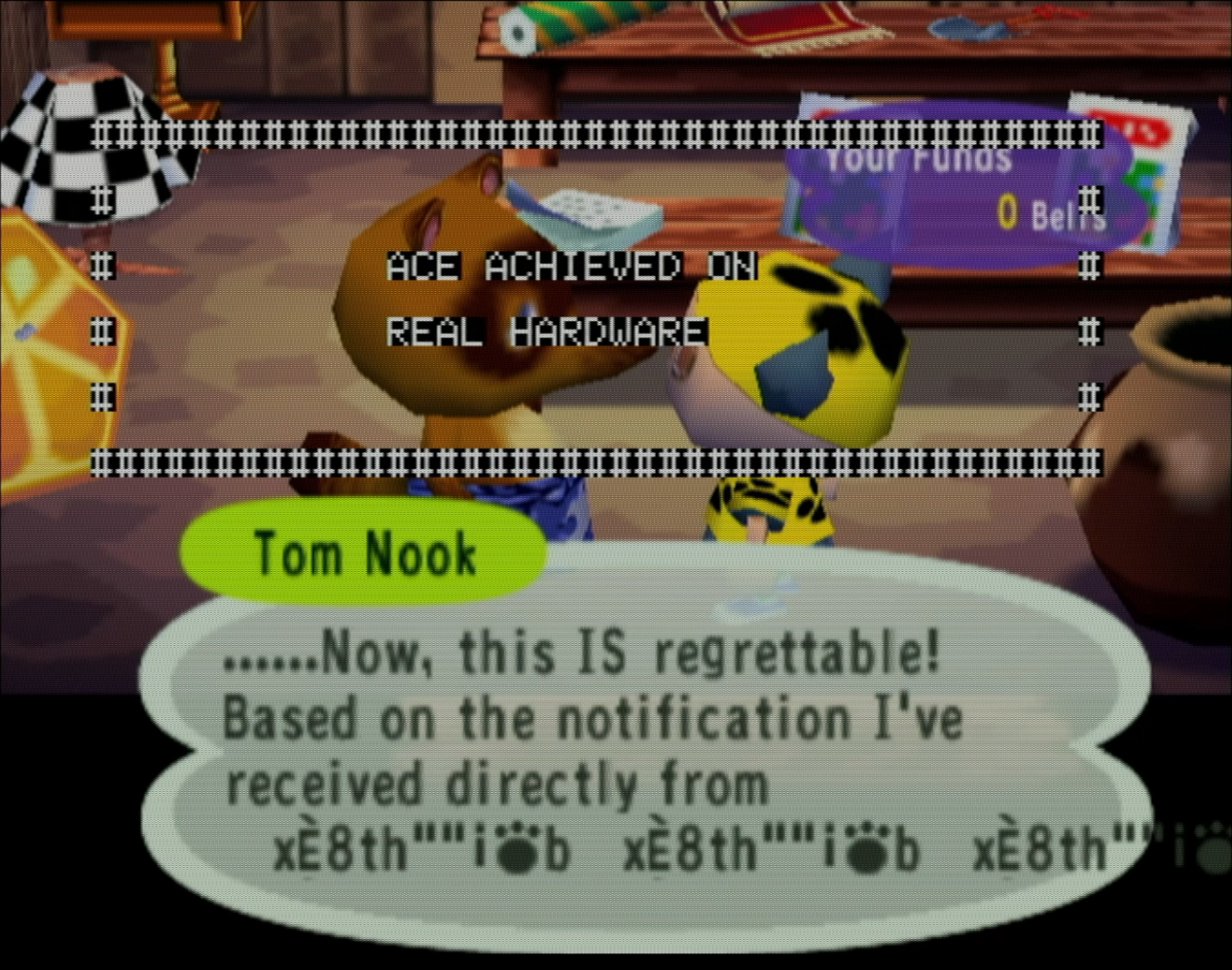
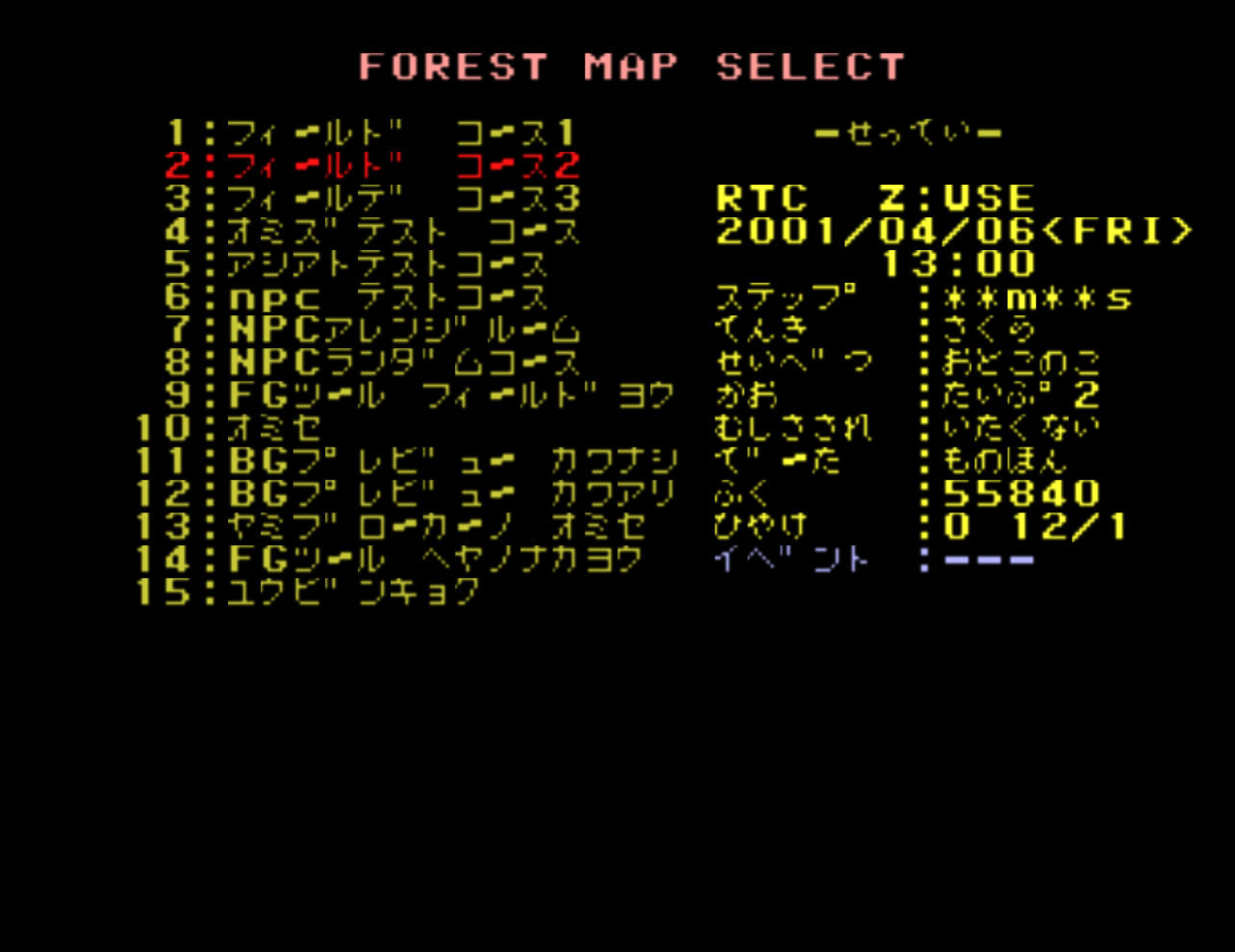
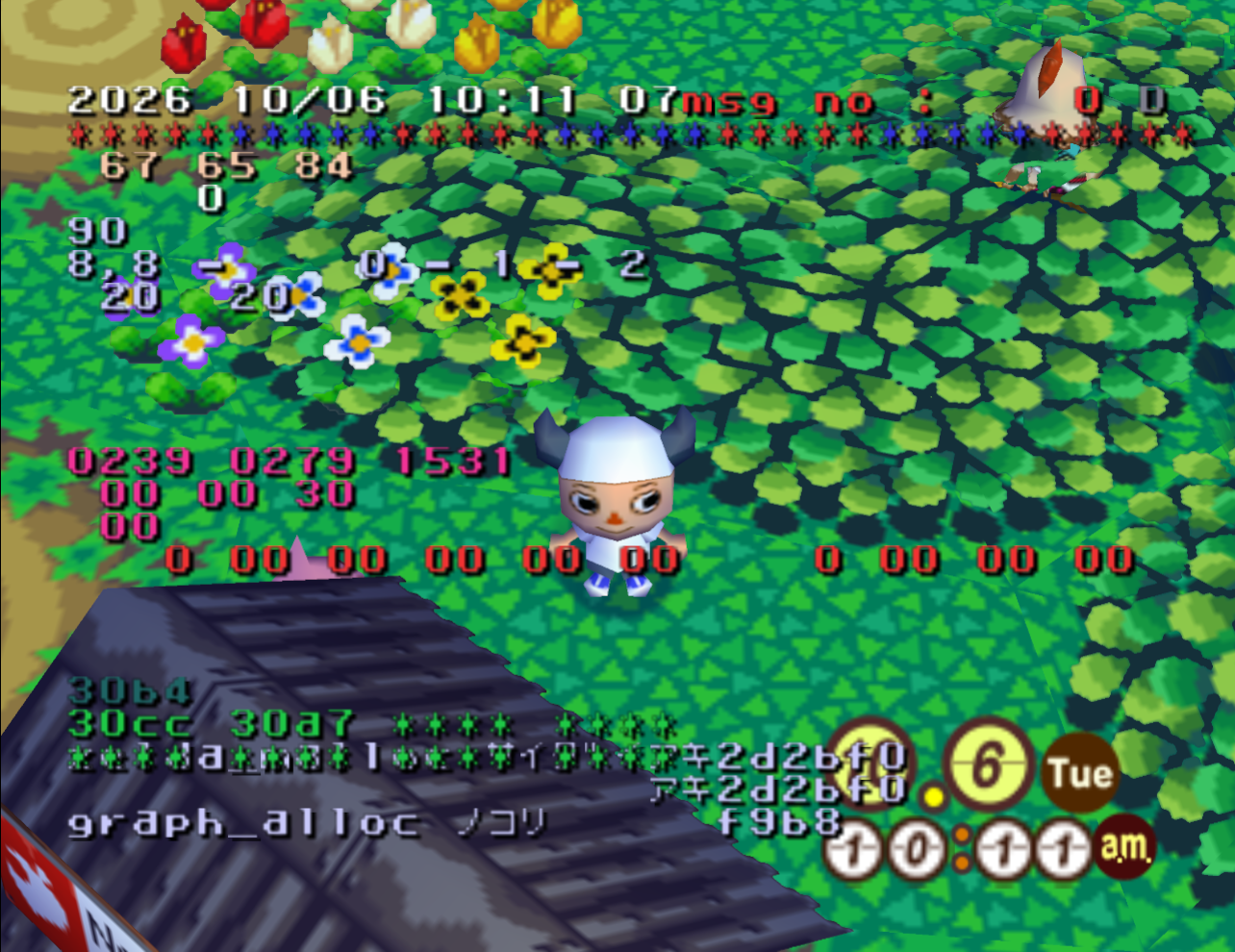
zurumode2)Limitations
Unreachable Bytes on Console
On a vanilla console, you’re slightly limited by the number of valid bytes you can type on Animal Crossing’s in-game keyboard. Notably, the keyboard is lacking characters that map to the following bytes, meaning it is impossible to insert them into the notice board or elsewhere during normal gameplay:
1
2
3
4
5
6
7
Impossible bytes to type in Animal Crossing (inclusive):

0x7F–0x80
0x99–0x9A
0x9D–0x9F
0xD2–0xD3
0xD5–0xFF
You can somewhat get around this by using the game’s pattern designer found at the Able Sisters. This designer lets you color in pixels that write bytes to memory in the the same as the keyboard. However, the pattern designer does not contain any byte with 0xF in either nibble. For example, you can only write from 0x00 - 0x0E, 0x10 - 0x1E, and so on, all the way to 0xEE. Put simply, hex F does not exist in the designer UI in any capacity.
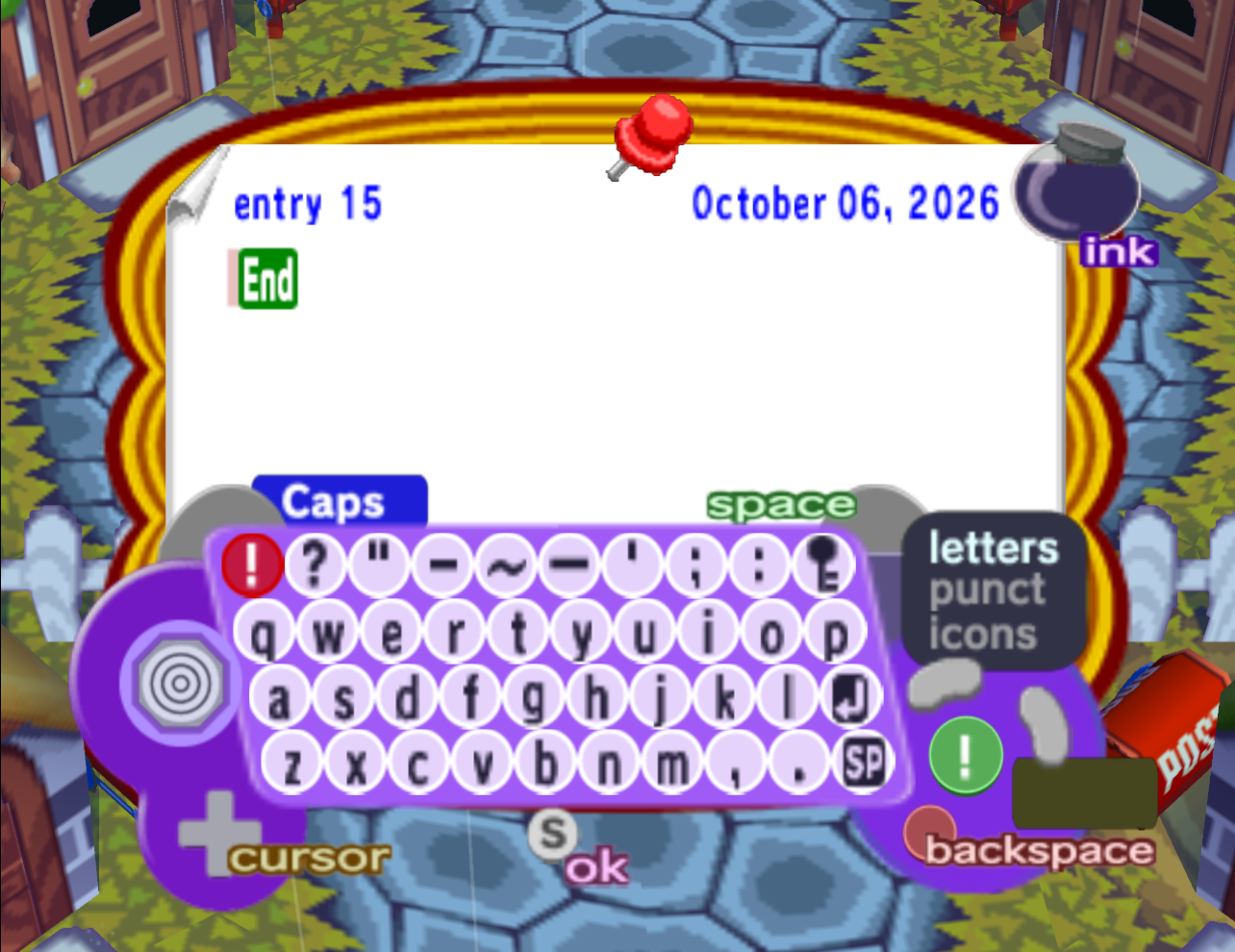
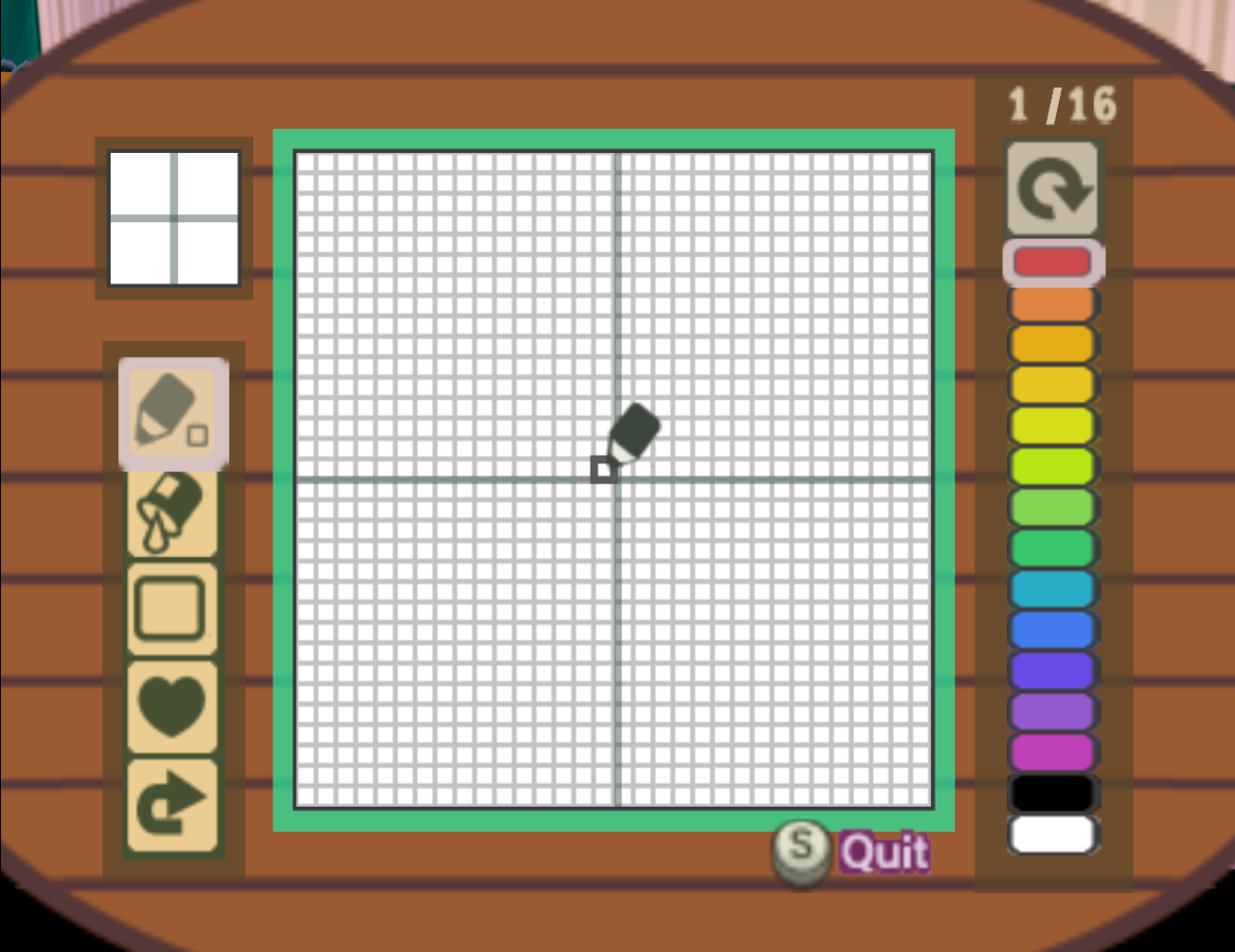
Of course, so long as you know what you’re doing, you can get around a lot of these missing byte values by combining PowerPC instructions, among other workarounds. Just be aware that if your payload requires bytes outside of Animal Crossing’s reachable bytes, you’ll have to get a bit clever if you want players to be able to manually write the payload in-game.
Notice Board Updates
As days pass in Animal Crossing, random posts are automatically appended to the notice board with no way to delete them. These posts will push back any setup payloads to an entry that does not work. This makes our current payload entry time-sensitive and players will have to rewrite and align the payload every time a random post gets added. As such, if a payload is large and designed to be used more than once, it may be preferable to write as little code as possible within the notice board and instead have the code jump elsewhere to finish. For example, you can have the player write the majority of a payload via letter mail to another player and have those letters stored in the post office where they all live back to back in RAM.
Closing Thoughts
It’s very possible that there are more efficient setups for triggering ACE, but these are the easiest routes that have been currently found. As more routes are discovered and more versions get supported, I’ll try to update this post with additional methods.
In theory, this exploit should be possible in the Australian version and in Doubutsu no Mori+ so long as usable callbacks line up with a recursive string setup. Unfortunately, this exploit is not possible in Doubutsu no Mori e+ since that game is patched to prevent the abuse of 7F control commands from outside sources.
Acknowledgements
This post describes the final working setup, but getting to this result took several weeks of digging and research. I’d like to thank the following people for their work on this exploit:
- powmia99 for finding the initial setup, sharing it with us, writing payloads, and refining the exploit further
- Cuyler for working with us to find more consistent setups and writing test payloads
- BrianMp16 for verifying our exploit on vanilla NTSC hardware
- Jhynjhiruu for verifying our exploit on vanilla PAL hardware